TYPO3 14 LTS Editorial Changes: What Backend Editors Need to Know (Part - 1)

TYPO3 14 LTS Editorial Changes:
What Backend Editors Need to Know (Part - 1)

TYPO3 14 LTS improves the backend experience for editors by making everyday content work clearer and more predictable. Editors will notice a cleaner interface, clearer menu names, and a calmer layout when working with pages, media, and translations.

Common actions are easier to find and quicker to use — without learning new concepts.

This article explains the editorial changes in TYPO3 14 LTS that backend editors will notice in their daily work.

A calmer backend(UI/UX), built for daily editorial work

Editors will immediately notice that the TYPO3 backend feels quieter and easier to read. There is less visual noise, clearer spacing, and fewer “where do I click?” moments. 

Nothing new needs to be learned. Instead, familiar tools are easier to spot and faster to reach.
In day-to-day work, this means less scanning and more focus on content.

Content is now exactly where editors expect it

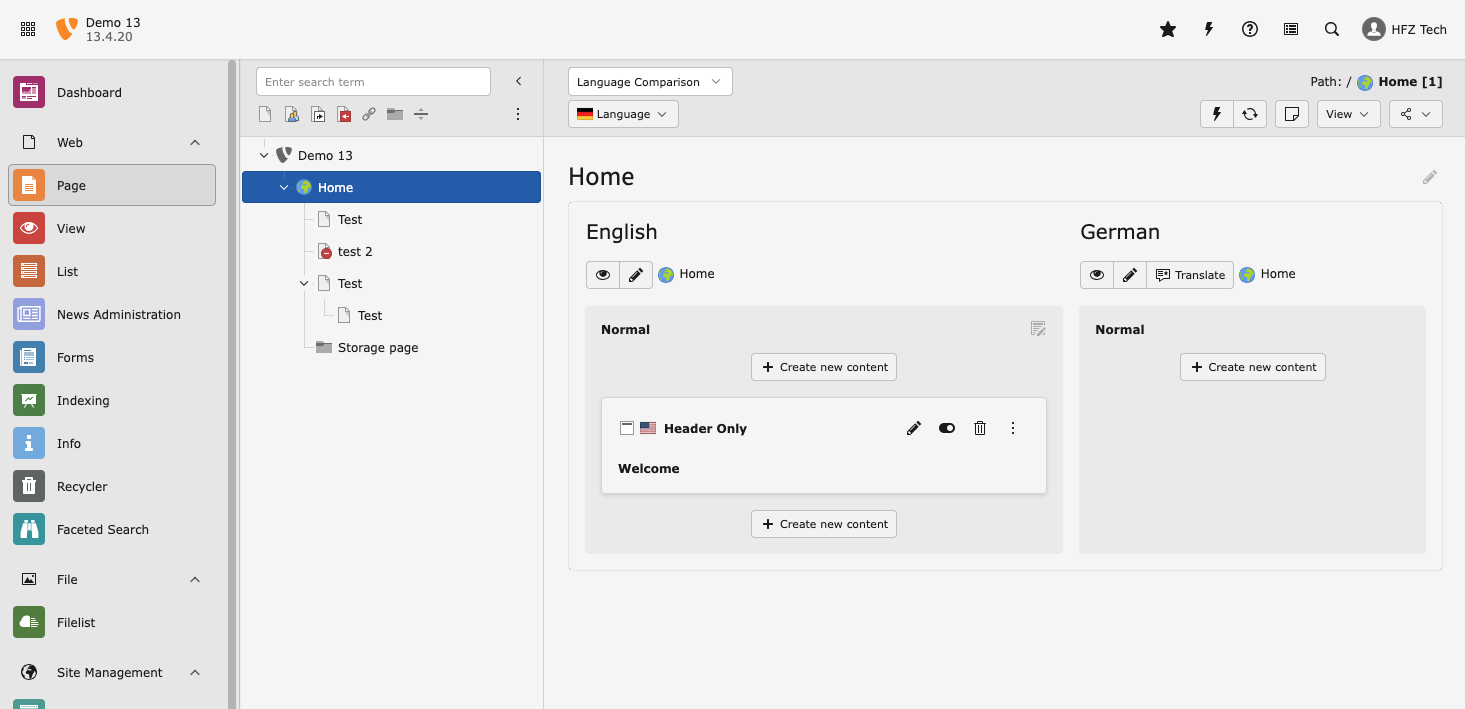
Before TYPO3 14, editors opened the Web menu and then searched for content-related tools.
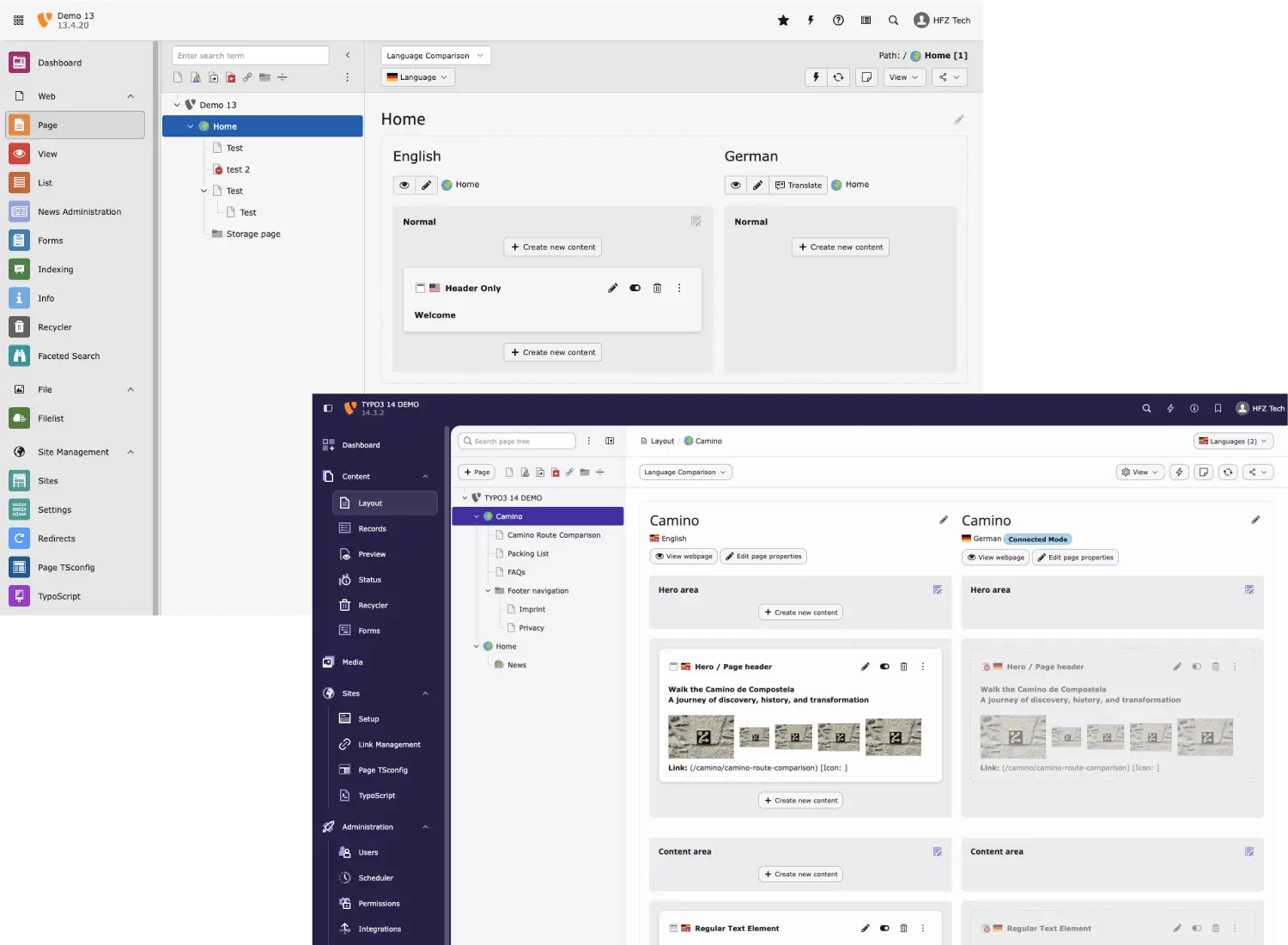
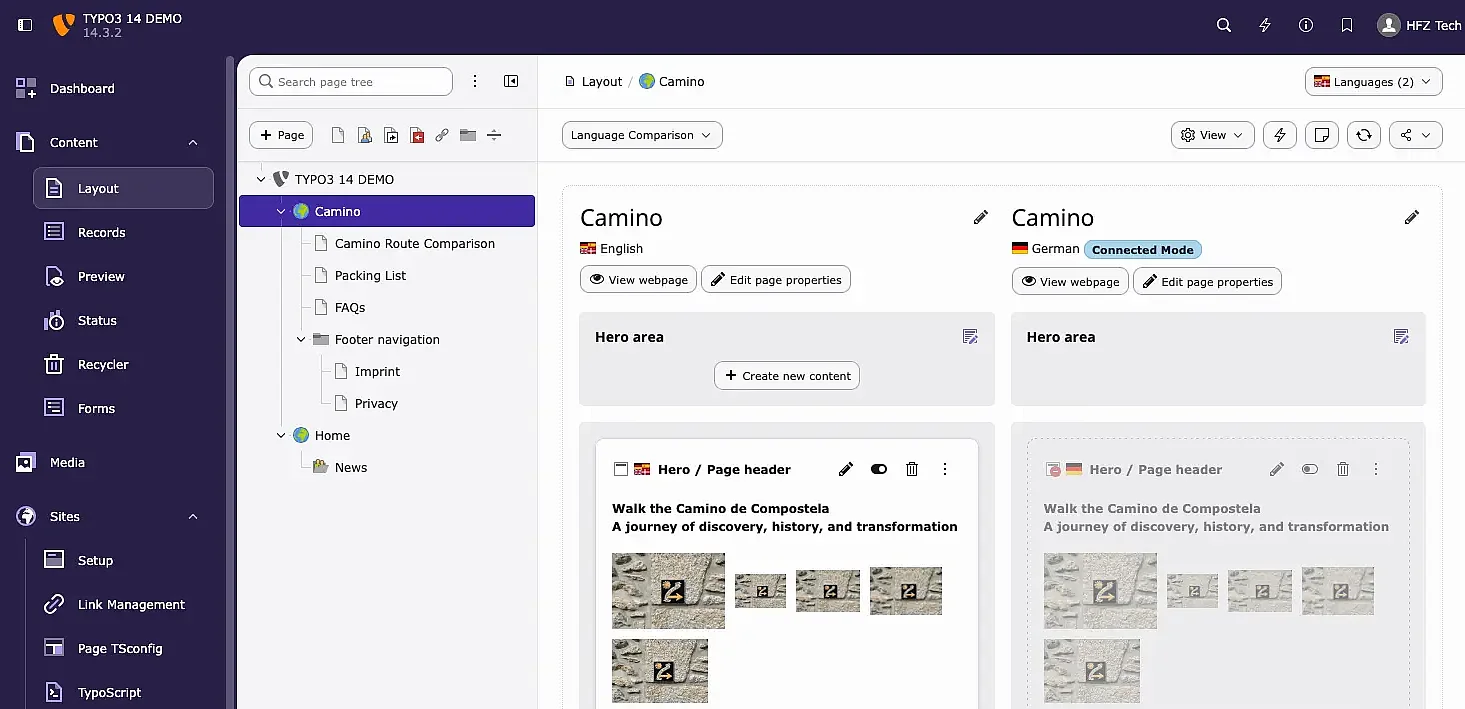
In TYPO3 14 LTS, this menu is now called Content, making it immediately clear where pages, records, previews, and media are managed.

The name matches how editors already think about their work and removes unnecessary guesswork.
You feel this change every time you log in and start editing content.

Clearer module names that reflect real tasks

To support clearer navigation, several key modules have been renamed:

  • Content (formerly Web) grouped all content-related modules
  • Layout (formerly Page) focuses on arranging content on a page
  • Records (formerly List) is used for managing structured items
  • Preview (formerly View) shows the frontend result
  • Publish (formerly Workspaces) is used to release content

Together, these changes make the backend easier to understand and quicker to navigate — especially for new editors.

Web → Content

Page → Layout

List → Records

View → Preview

Workspaces → Publish

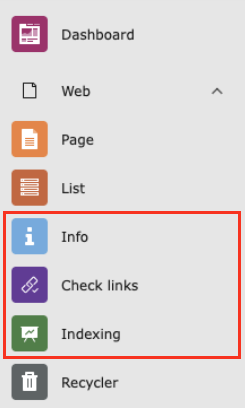
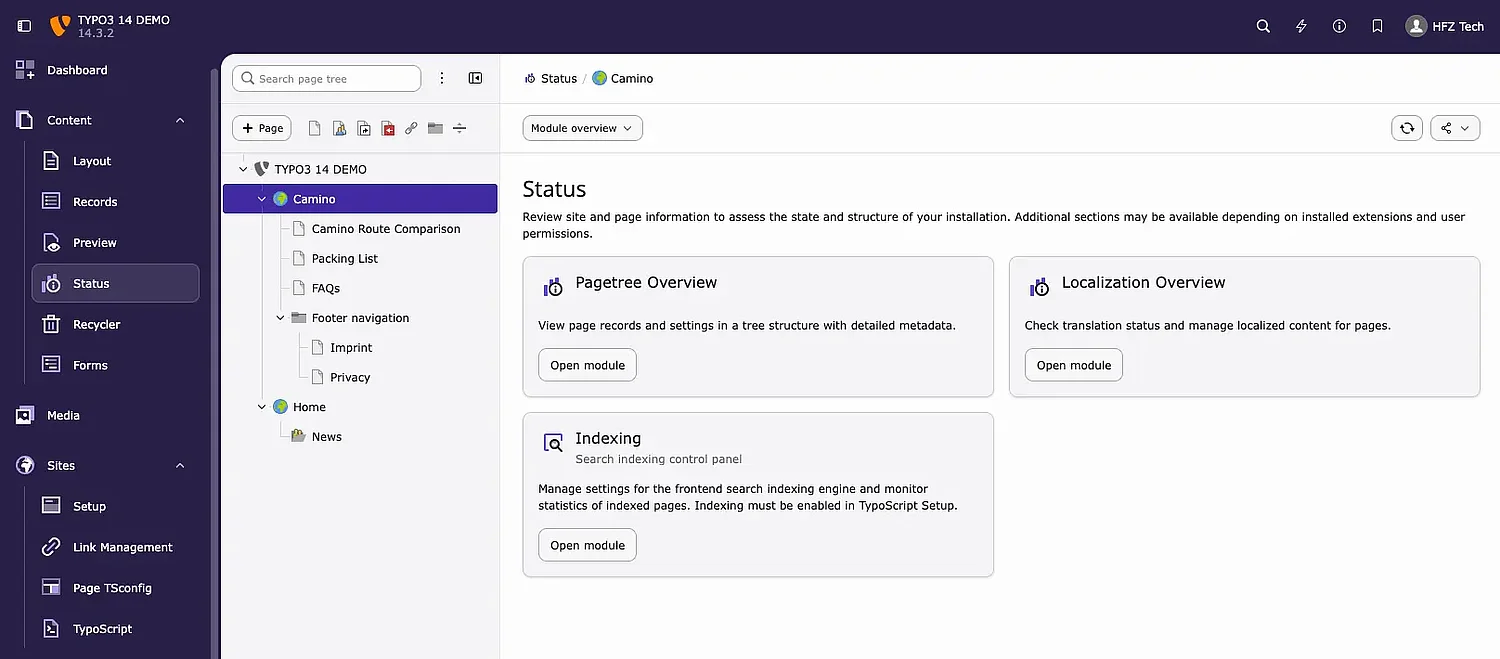
Status replaces Info, Indexing, Check Links — one place for checks and health

In TYPO3 14 LTS, the Info module has been renamed to Status and moved into the core so it’s always available.

Status now acts as a central place for:

  • Page and site status information
  • Search indexing tools
  • Link checking

Modules such as Indexing and Check Links are now grouped under Status.
Editors no longer need to remember where technical checks are hidden or rely on optional extensions

File becomes Media — clearer asset management

Before TYPO3 14, editors worked with modules called File or Filelist, even though they handled much more than just files.
In TYPO3 14 LTS, these modules are now called Media.

Editors use this area to:

  • Upload and organise images and documents
  • Edit metadata
  • Work with videos and online media

The name now reflects the actual task, reducing hesitation when adding or reusing assets across pages.

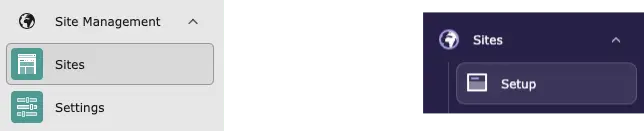
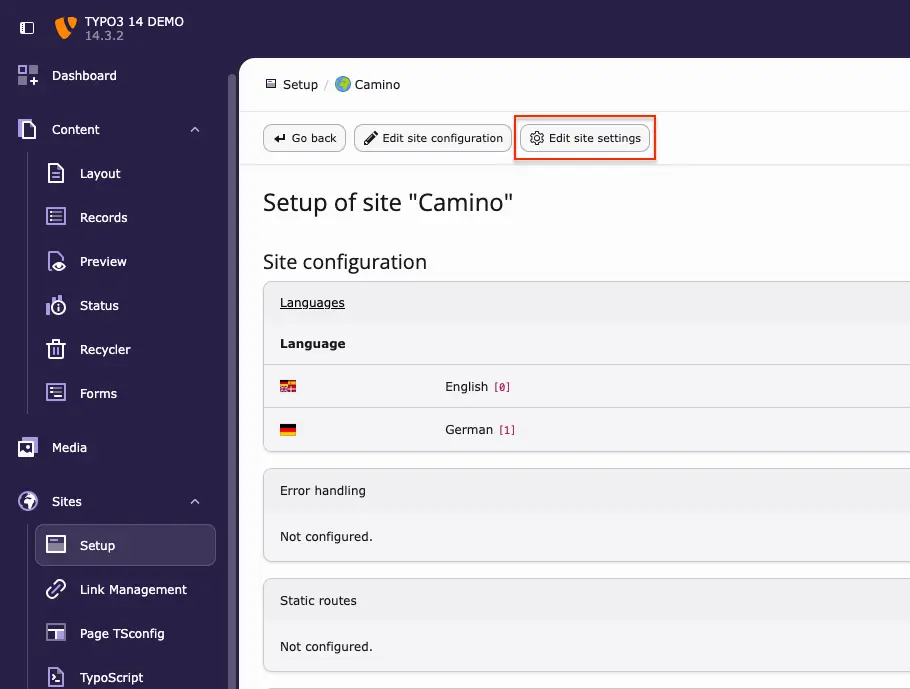
Site Management becomes Sites

Before TYPO3 14, site-related settings were spread across Site Management and multiple submodules.

In TYPO3 14 LTS:

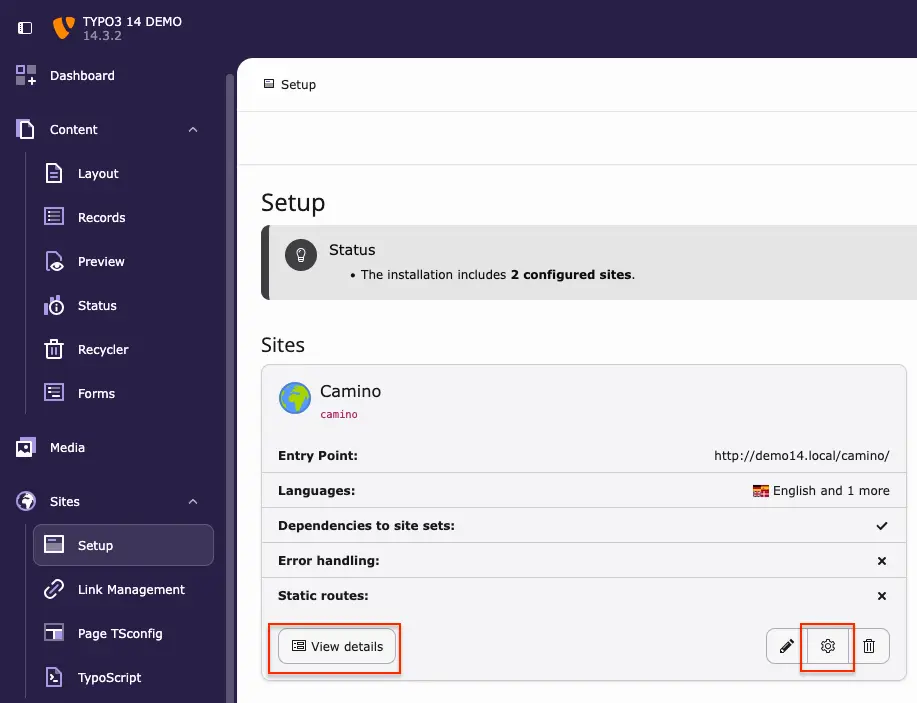
  • the top-level module is now called Sites 
  • Setup is the single place to manage domains, languages, and routing
  • What used to live under Settings is now consolidated

This is especially noticeable when working on multilingual sites or domain changes, with fewer clicks and less uncertainty.

Administration and System: clearer responsibility boundaries

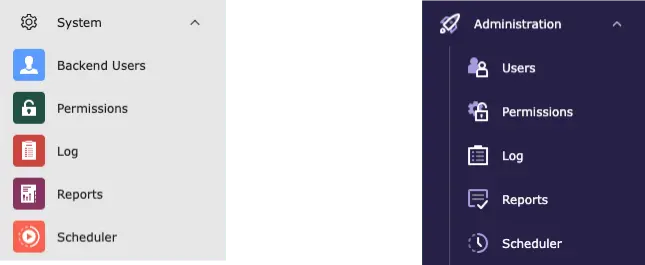
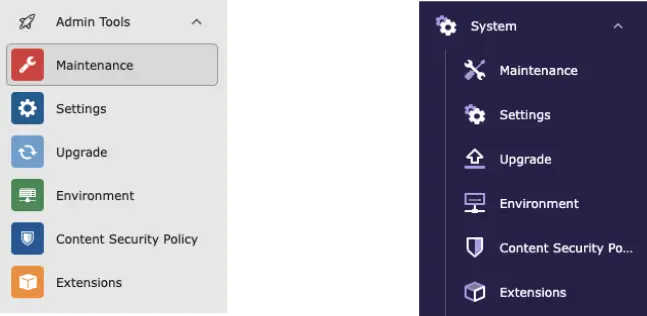
Before TYPO3 14, administrative and maintenance tools were mixed across Admin Tools and System

Modules used for daily administration — including Permissions, Backend Users, Log, Scheduler, and Reports — are grouped under Administration, reinforcing it as the place for user and workflow management.
 

Technical and upkeep-related modules such as Maintenance, Upgrade, Environment, Content Security Policy, and Extensions live under System, keeping maintenance tasks together.
 

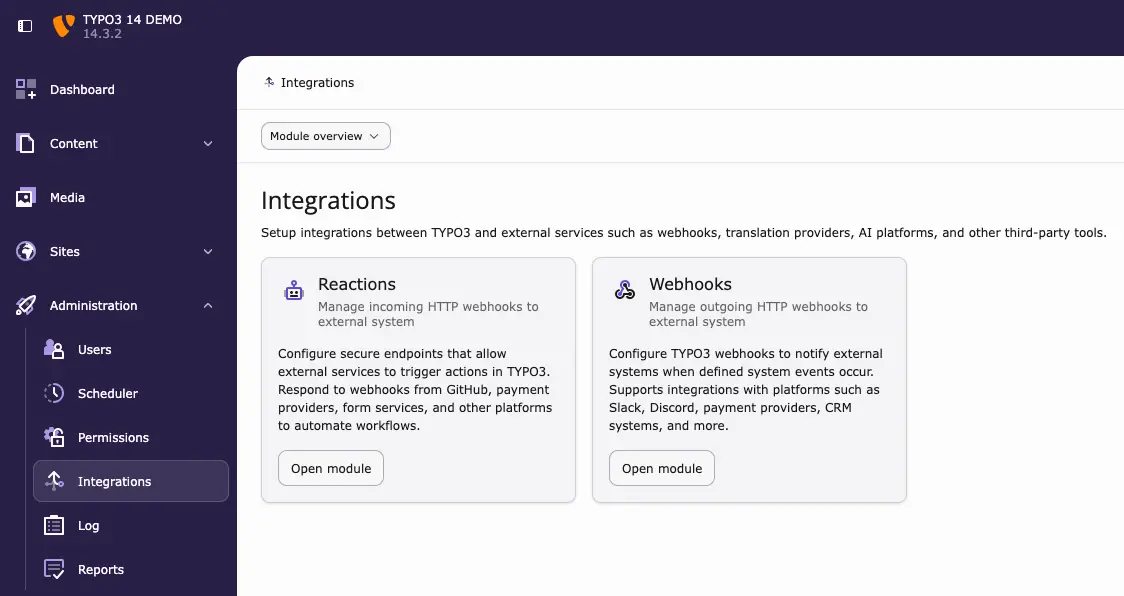
Integration-related tools like Reactions and Webhooks are grouped under Administration → Integrations, making external connections easier to find.
 

Database replaces DB Check — clearer purpose

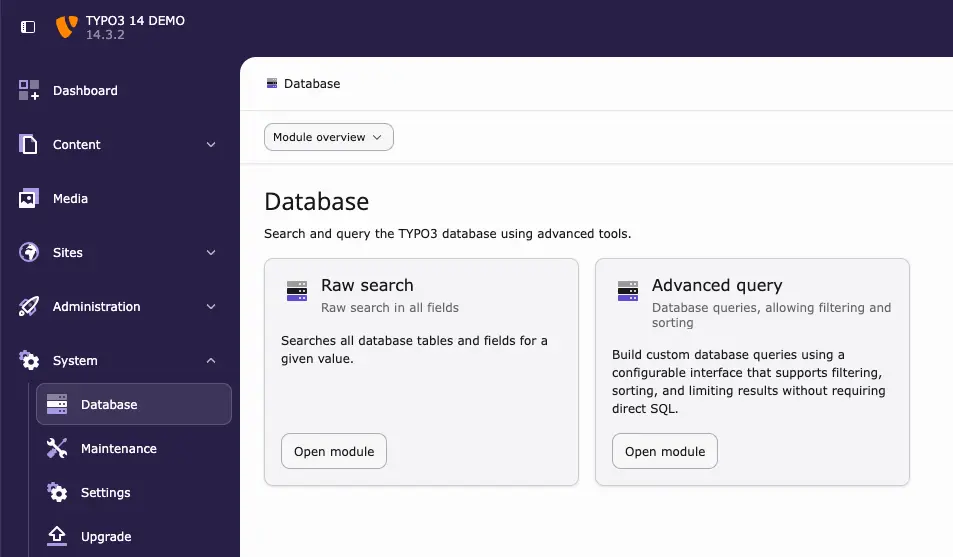
The former DB Check module is now called Database, clearly indicating its role.

It focuses on:

  • Searching records
  • Querying data

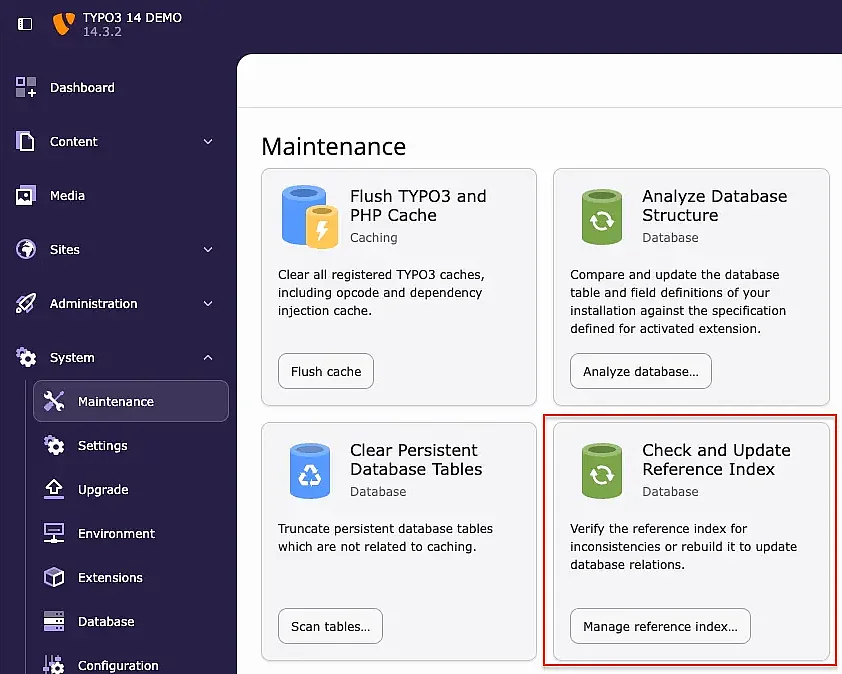
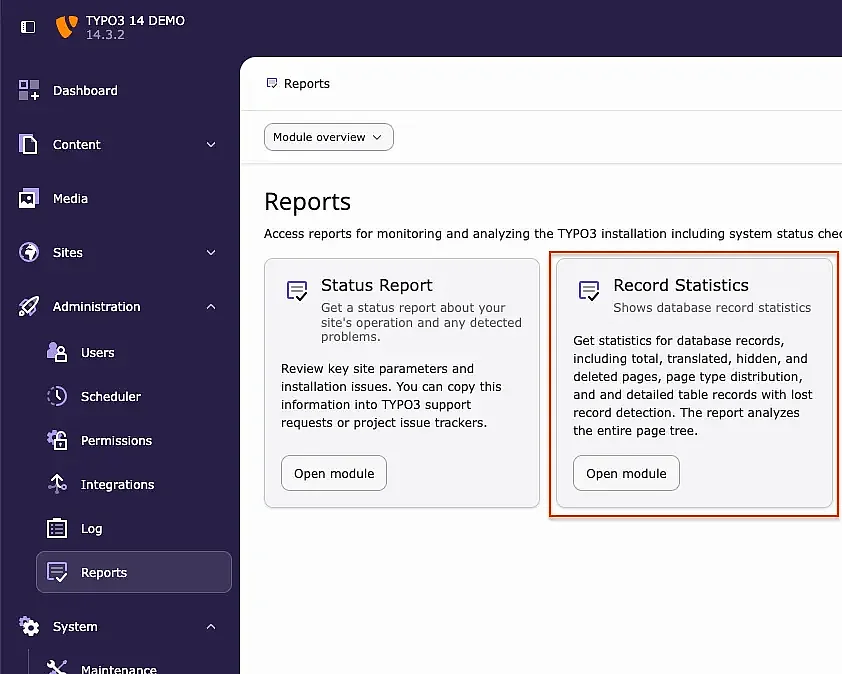
Other tools have been moved to better locations:

  • Manage Reference IndexMaintenance
  • Records StatisticsReports

Editors no longer need to interpret vague module names.

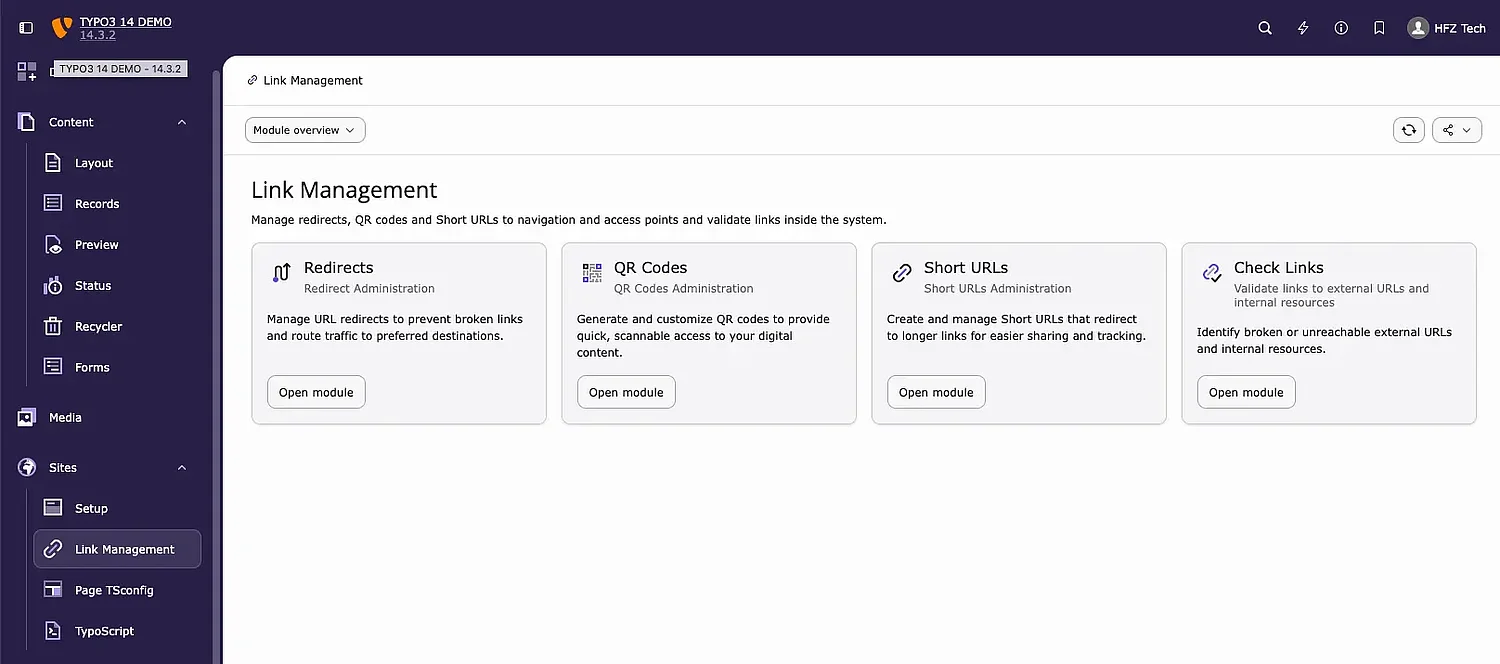
Redirects move to Link Management

Before TYPO3 14, Redirects lived under Site Management, separate from other link tools.

In TYPO3 14 LTS: 

  • Redirects are located under Sites → Link Management
  • QR Codes live in the same area

This groups redirects and shareable links logically and reduces unnecessary navigation.

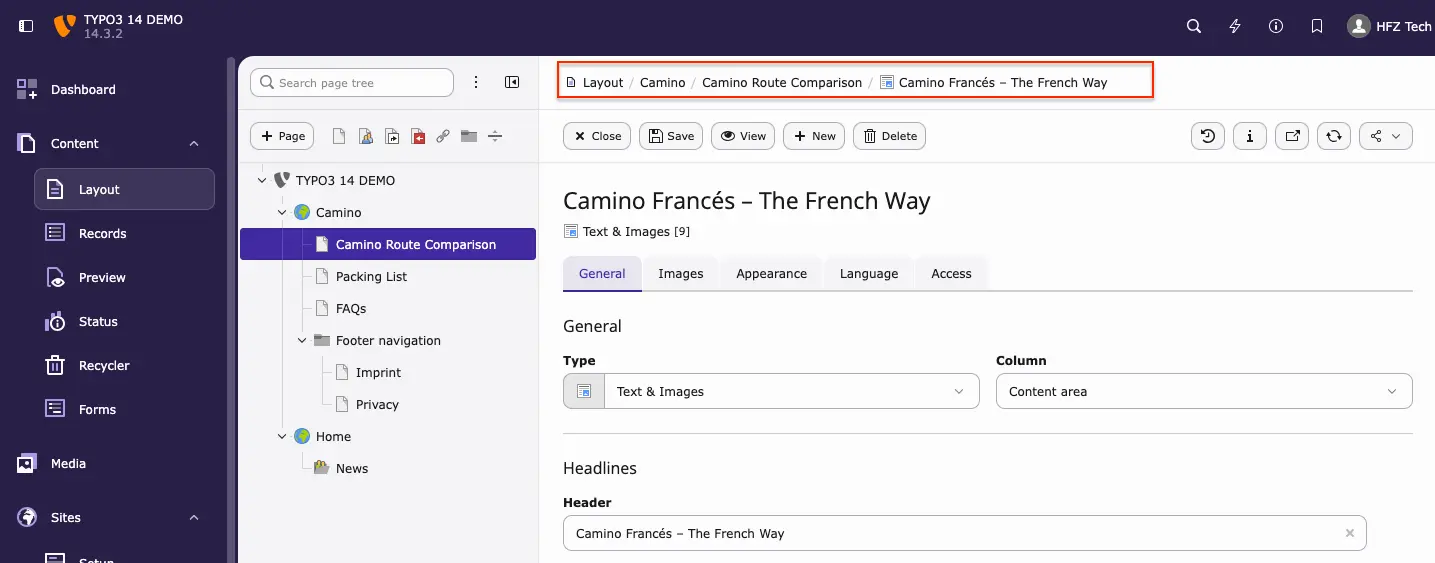
Breadcrumb navigation that keeps you oriented

Breadcrumbs in TYPO3 14 adapt to what you are working on — pages, files, or content elements.

Key improvements:

  • You stay within the same module and mode
  • Clear indication of your current position
  • Breadcrumb collapses into a dropdown on smaller screens

This is especially helpful in deep page structures, where orientation matters most.

Cleaner DocHeader and unified language selector

The DocHeader now follows a consistent two-row layout across all backend modules.

Editors will notice:

  • Language selector always in the same place
  • Translations can be switched or created directly
  • Actions and buttons are clearly grouped

The interface feels more predictable and easier to scan.

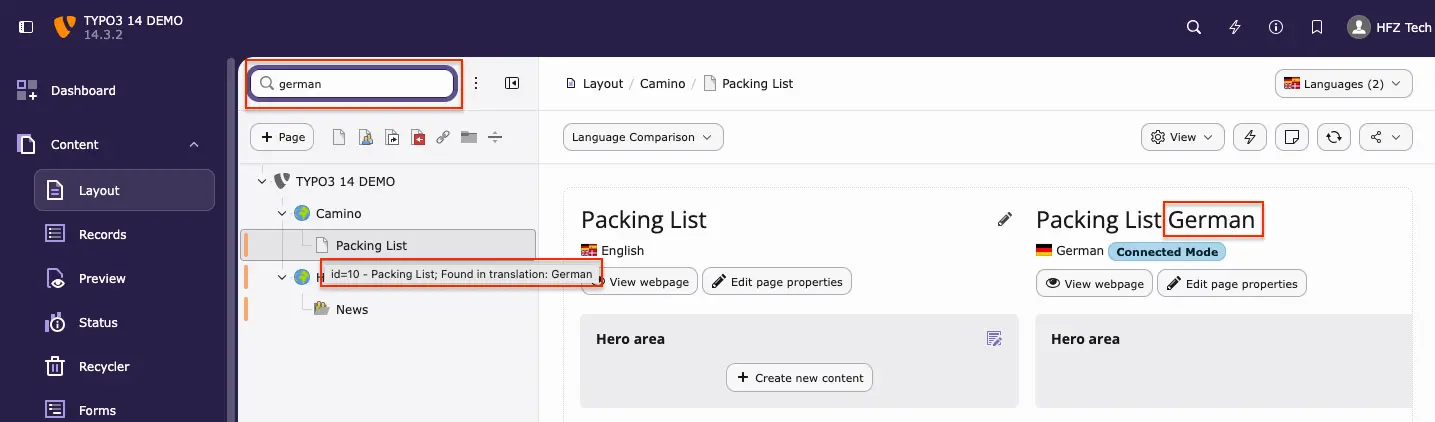
Search translated pages in the page tree

Searching the page tree now includes:

  • Translated page titles
  • Translation-specific UIDs

Search results clearly show whether a match comes from a specific language or multiple translations.
This makes multilingual navigation significantly easier.

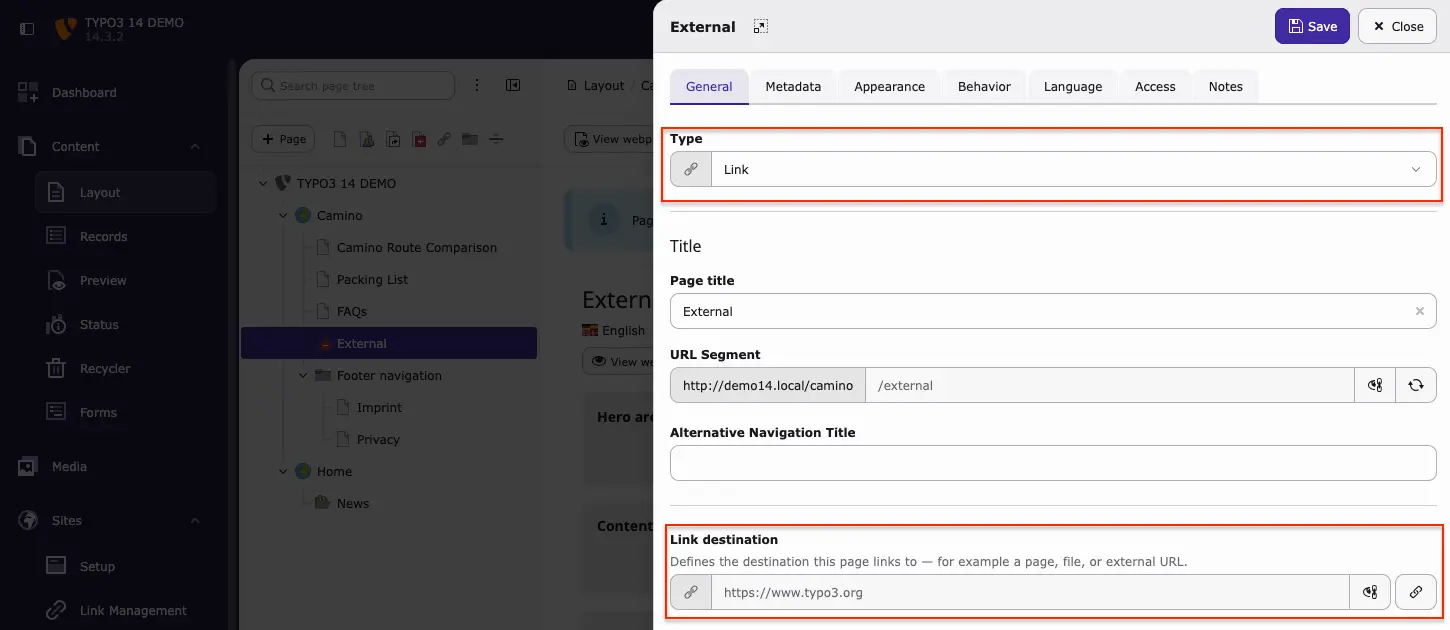
Link pages replace External URL — more flexible linking

The former Link to External URL page type is now called Link — and it’s much more flexible. 

Editors can link to:

  • Internal pages, specific sections or content elements
  • Media files or folders
  • Email addresses or phone numbers
  • Structured records (news or custom records)

Link pages still appear like normal pages but forward visitors directly to the selected target using the link picker.

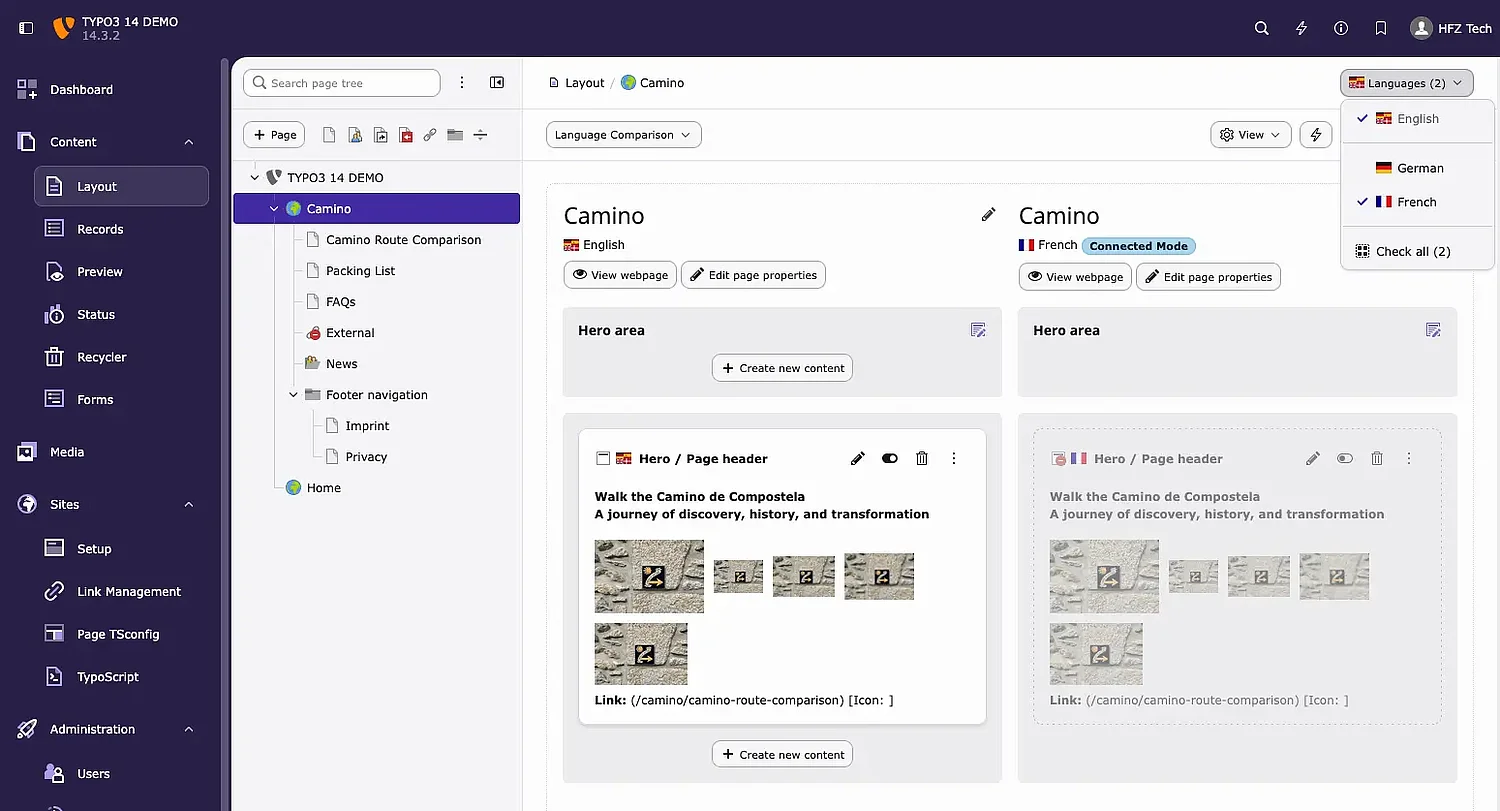
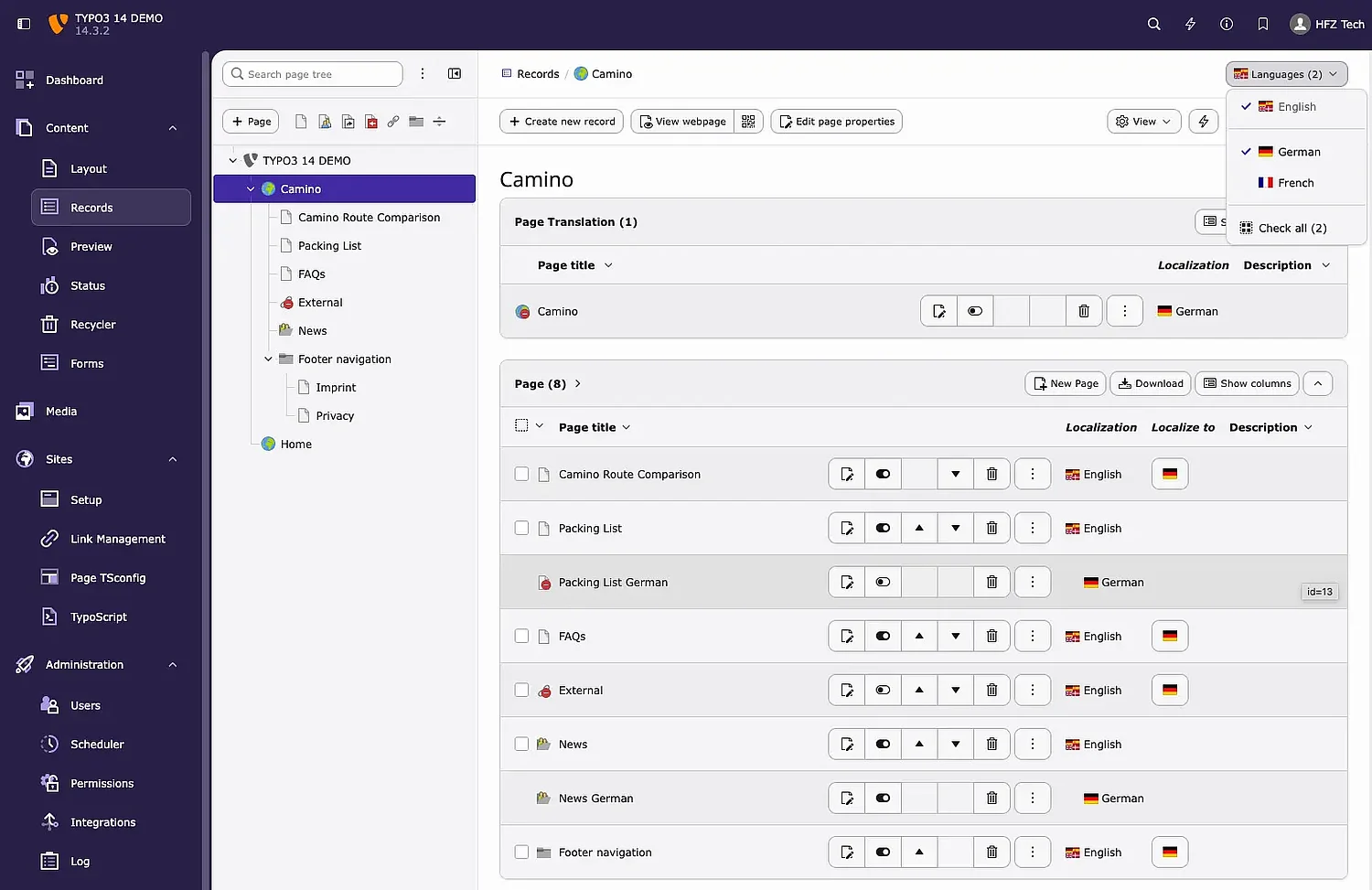
Choose exactly which languages you want to see

In TYPO3 14 LTS, editors can select exactly which languages are visible in:

  • Layout
  • Records

For example, only English and German.
This selection is remembered across modules, making multilingual editing smoother and more consistent.

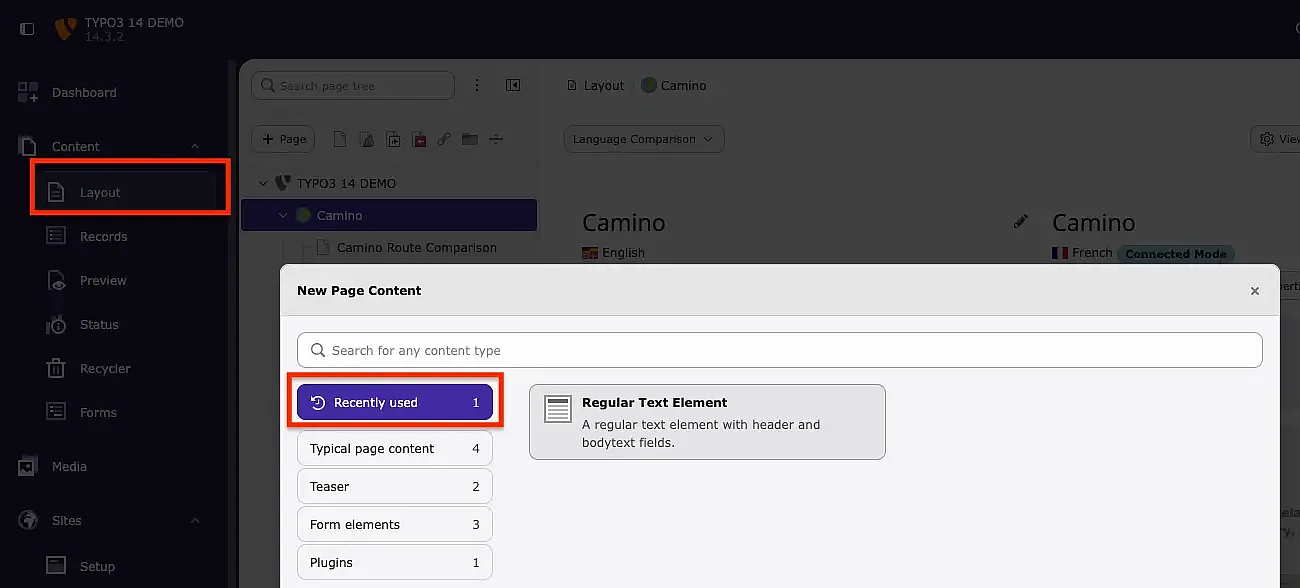
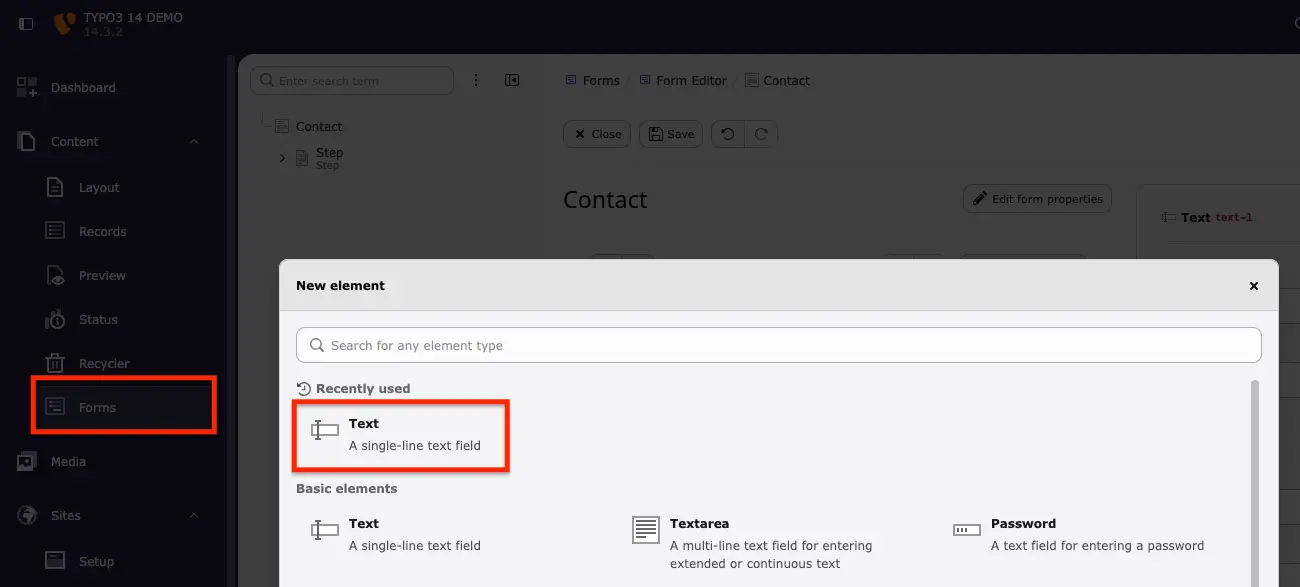
Recently used items appear first

Creation wizards now include a Recently used section for:

  • content elements
  • forms
  • dashboard widgets

Editors get quick access to frequently used items without changing the familiar wizard layout.

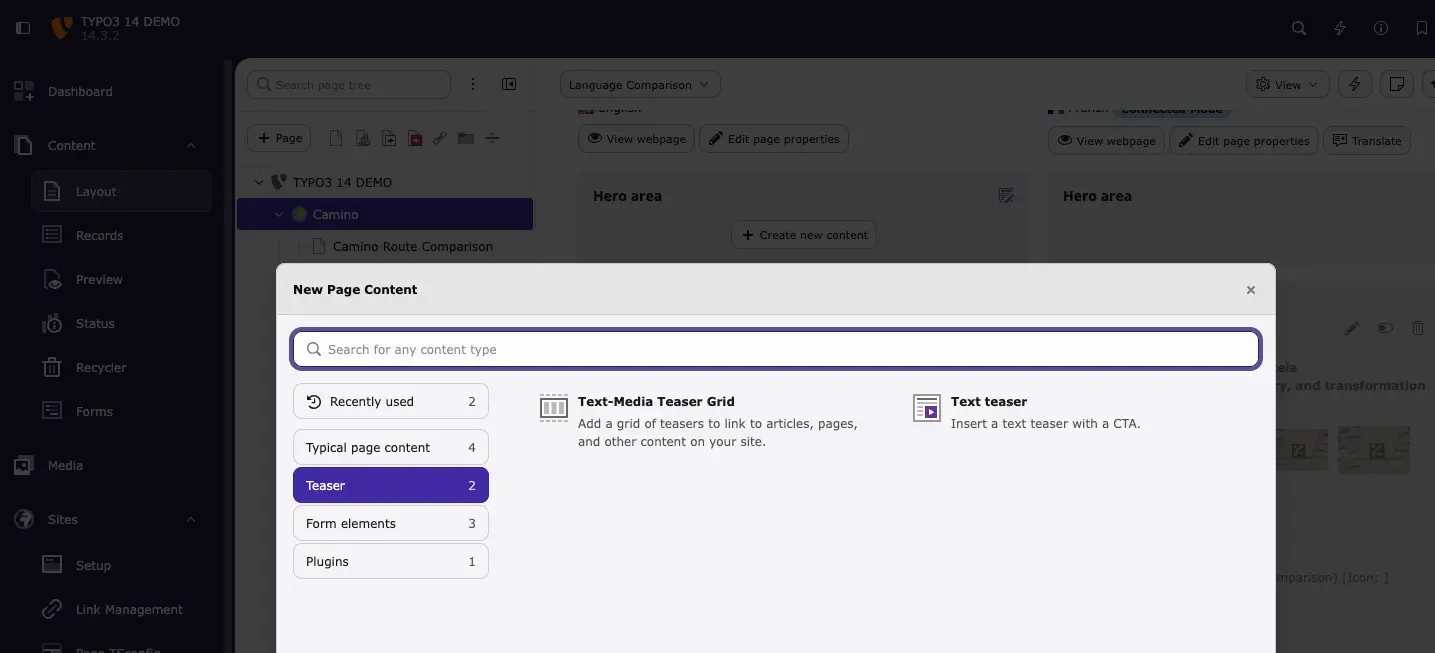
The content wizard remembers where you last worked

The creation wizard now opens the same category you used last.

This is especially helpful on large sites with many content types, reducing scrolling and repetition.

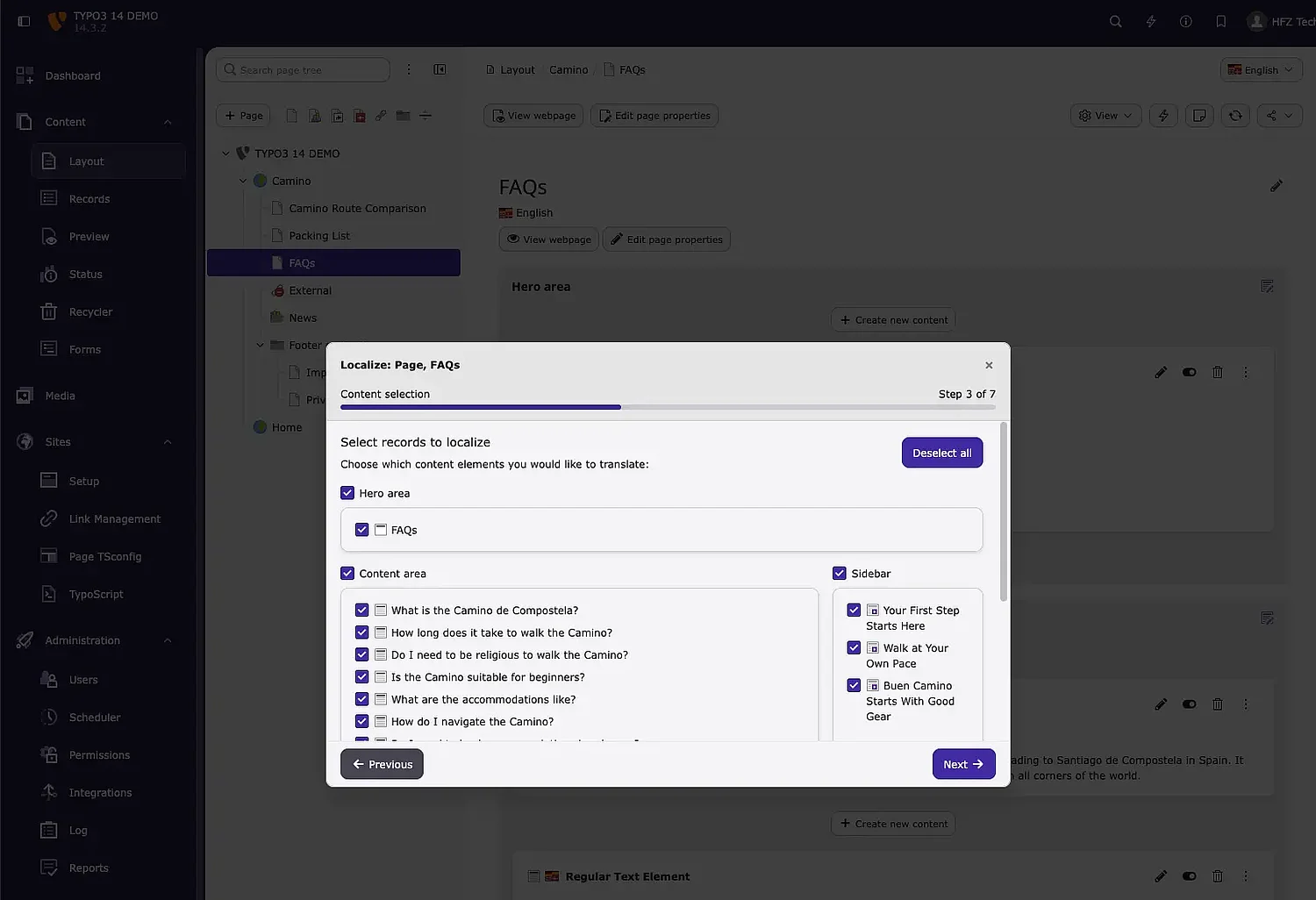
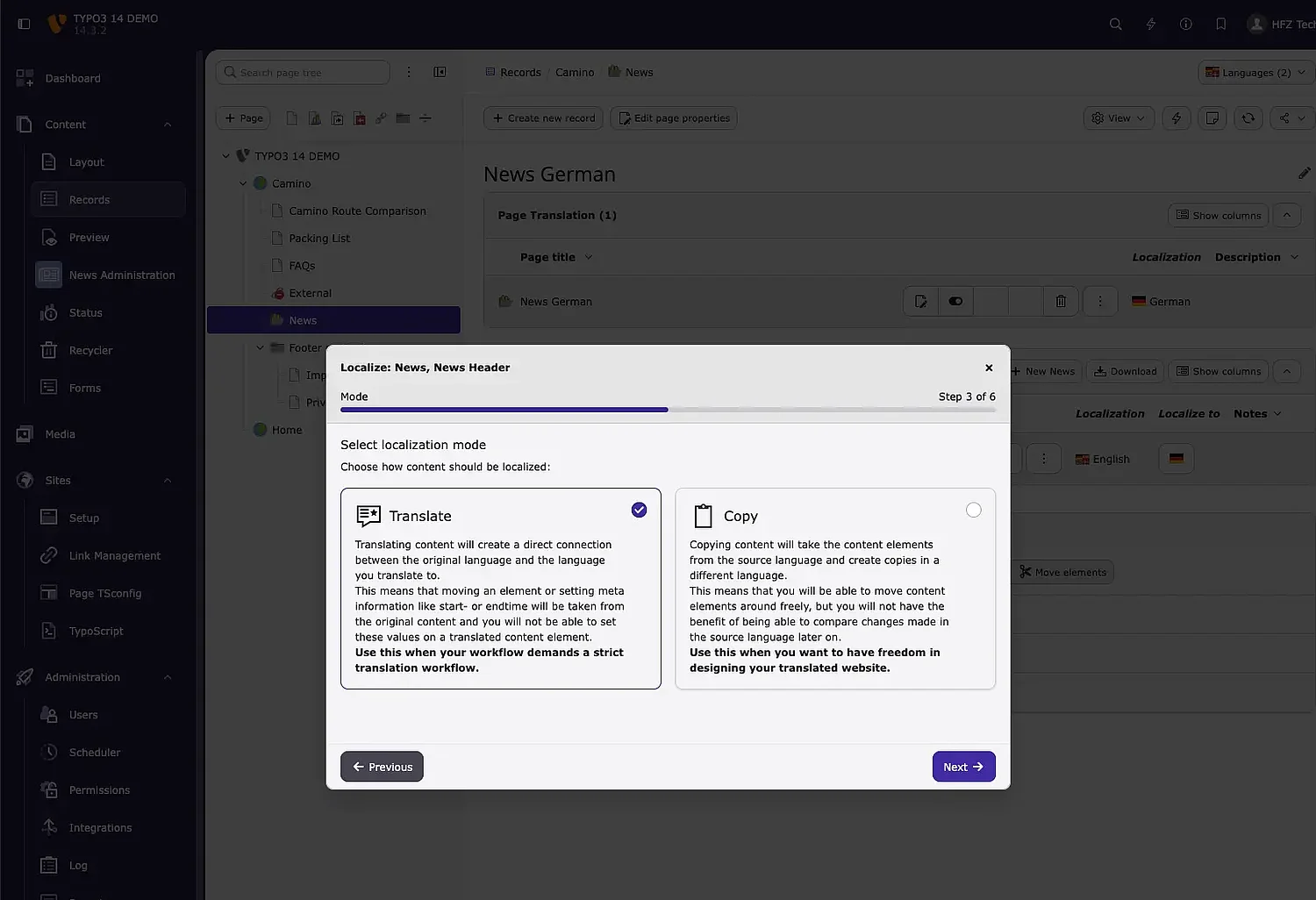
A guided translation workflow that feels consistent

TYPO3 14 LTS introduces a guided translation wizard across the backend.

Editors are led through:

  • A clear, step-by-step process
  • Only the steps that need attention
  • Automatic suggestions for Translate or Copy

This reduces manual decisions and helps editors translate content with more confidence.

TYPO3 14 LTS removes small sources of friction from everyday editorial work. With clearer structure and more predictable navigation, editors can focus on content instead of the system.

At HFZ Tech, we work closely with editorial teams and agencies preparing for TYPO3 14 LTS upgrades. These changes may look small on their own, but together they have a noticeable impact on daily editorial work — especially for teams managing content across languages and large site structures.

Together with the improvements covered in Part 2, TYPO3 14 LTS provides a calmer and more predictable editing experience for everyday content work.