TYPO3 14 LTS Editorial Changes:
What Backend Editors Need to Know (Part - 2)

In Part 1, we looked at how TYPO3 14 LTS makes the backend calmer and easier to navigate through clearer labels, better structure, and more predictable editing patterns. These changes reduce everyday friction and help editors stay focused on content.

In Part 2, the focus shifts to QR Code, Dashboard Widgets, and Scheduler Task. We’ll look at how TYPO3 14 LTS improves.

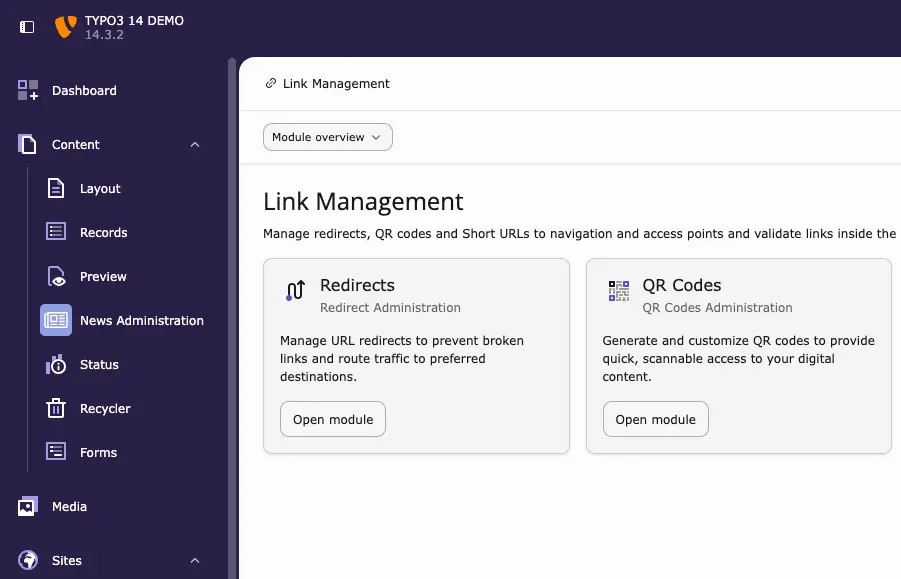
New QR Code Module for Flexible Link Sharing

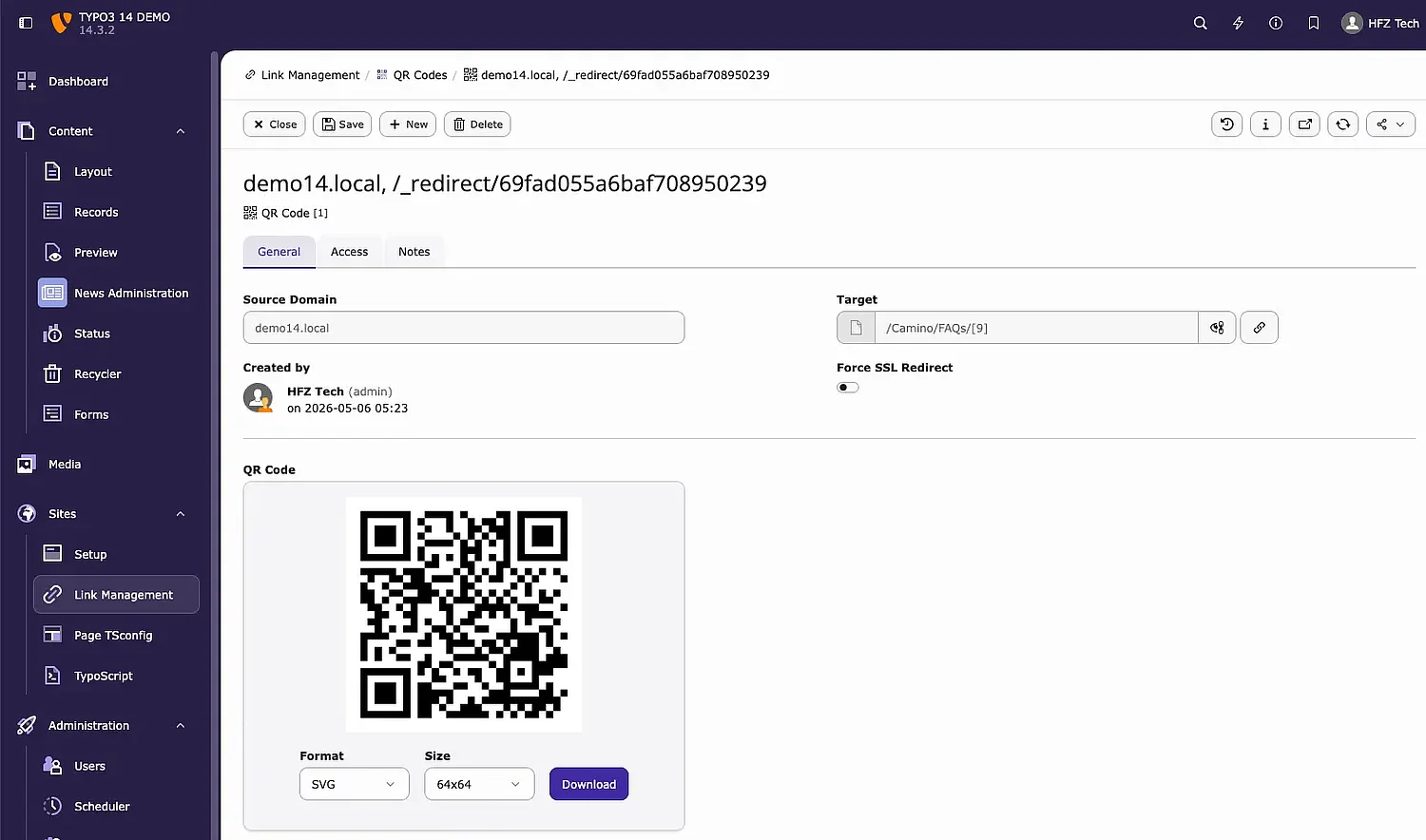
TYPO3 14 LTS introduces a new QR Codes module under Link Management to support flexible link sharing for marketing and editorial use cases.

Instead of embedding a fixed URL, TYPO3 generates a permanent redirect link (for example, / _redirect / …). This allows you to change the target destination later without reprinting flyers, posters, or banners.

Editors simply enter the domain and target URL, then download the QR code in formats such as PNG or SVG. Printed materials remain valid even when the linked content changes.

New Bookmarks Dashboard Widget

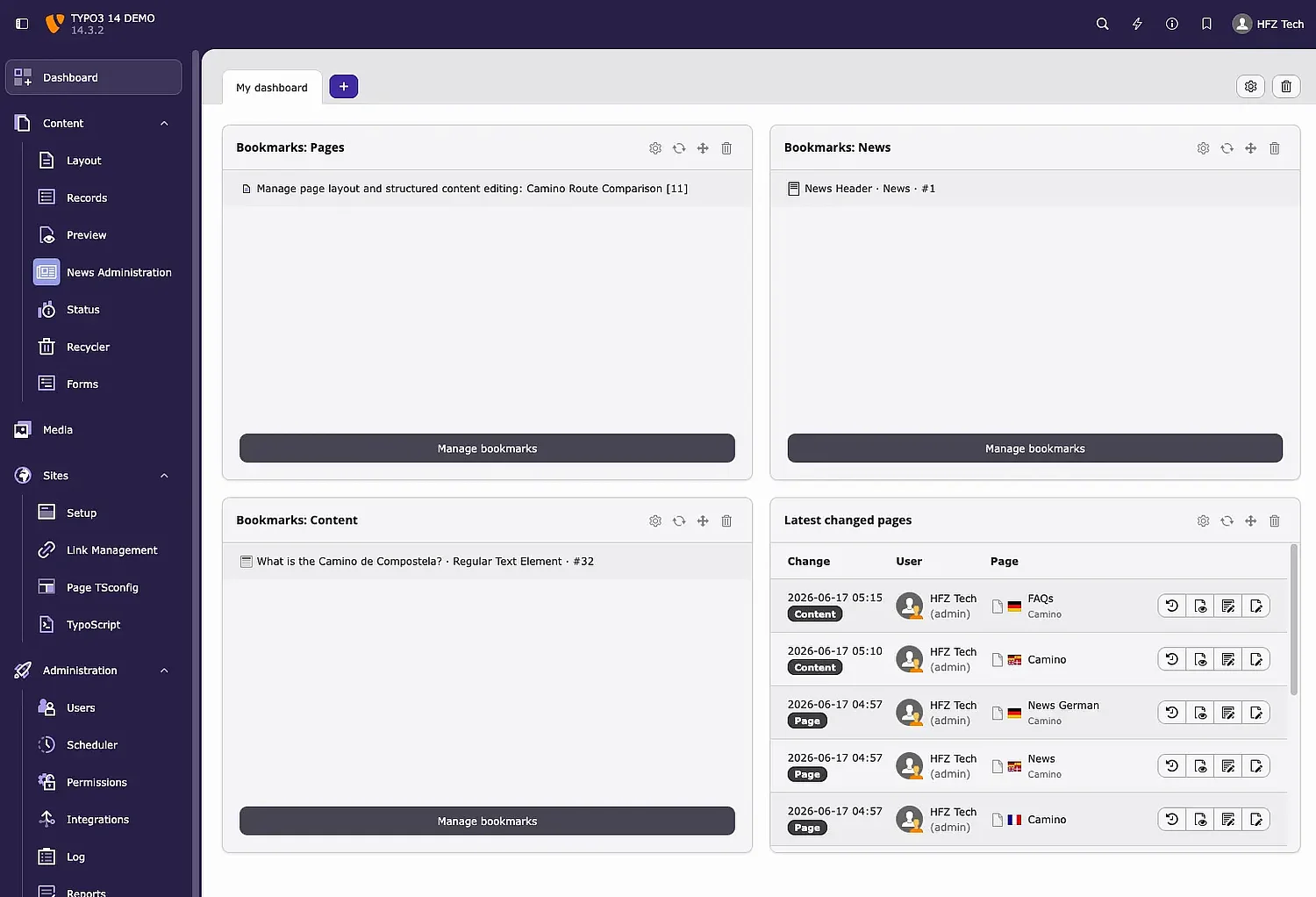
The new Bookmarks widget for the TYPO3 Dashboard makes it easier to access frequently used pages.

Instead of navigating through the page tree or menus, saved shortcuts are available immediately after login. Editors can configure each widget to show specific bookmark groups, adjust the title, or limit the number of visible links.

Multiple widgets can be added to the dashboard, making it easy to organise bookmarks for different projects side by side.

Personalised “Latest Changed Pages” Widget

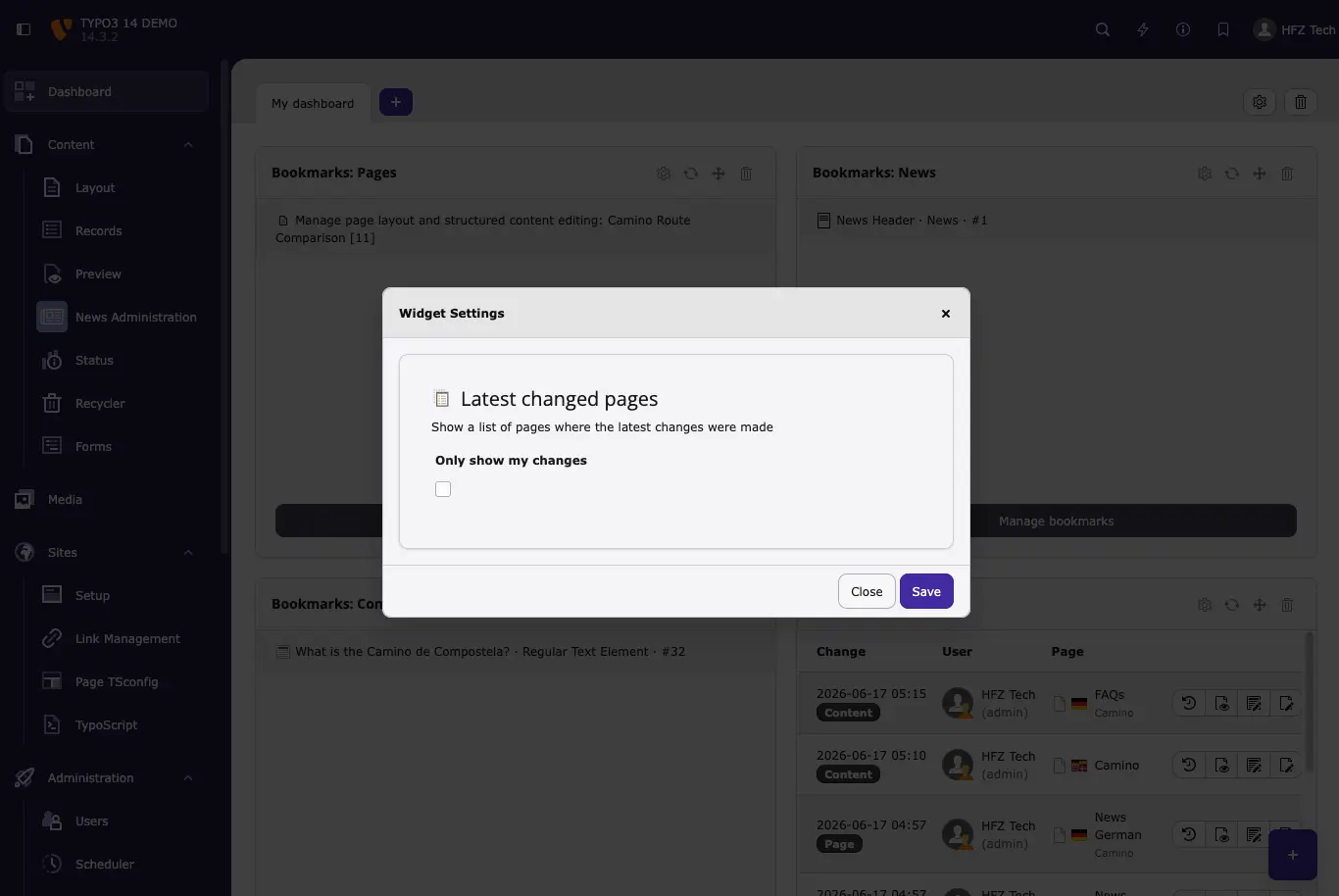
In TYPO3 14 LTS, the Latest Changed Pages dashboard widget can now be configured to show only pages modified by the current user.

This helps editors quickly return to their own recent work without being distracted by changes made by others. The option is easy to enable and does not affect existing setups unless explicitly activated.

It’s a small improvement, but one that supports more focused, individual workflows.

More Control in File Browsers with Customisable Columns

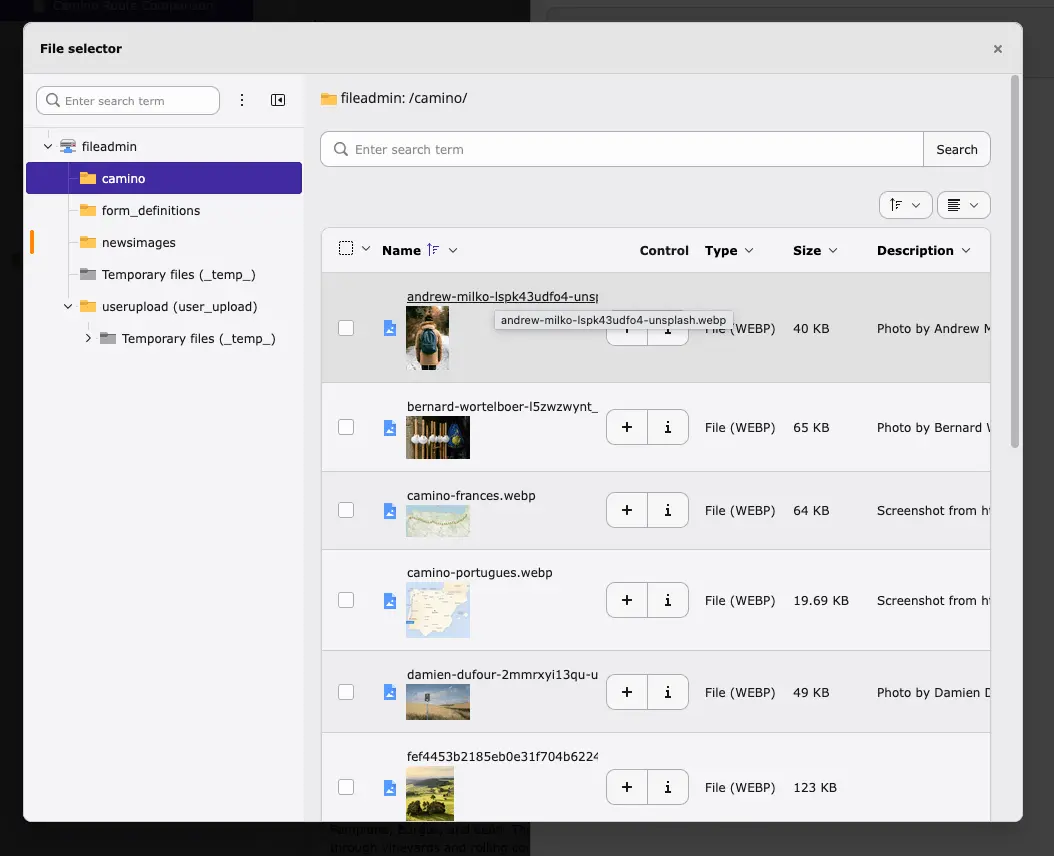
File browsers used in file fields and link dialogs now support customisable columns.

Editors can choose which details to display, such as filename, file size, or last modified date. This makes it easier to find the right file, especially in large media libraries.

The behaviour matches the File List module and improves consistency across the backend. The feature works out of the box and requires no additional configuration.

Customisable Calendar Start Day

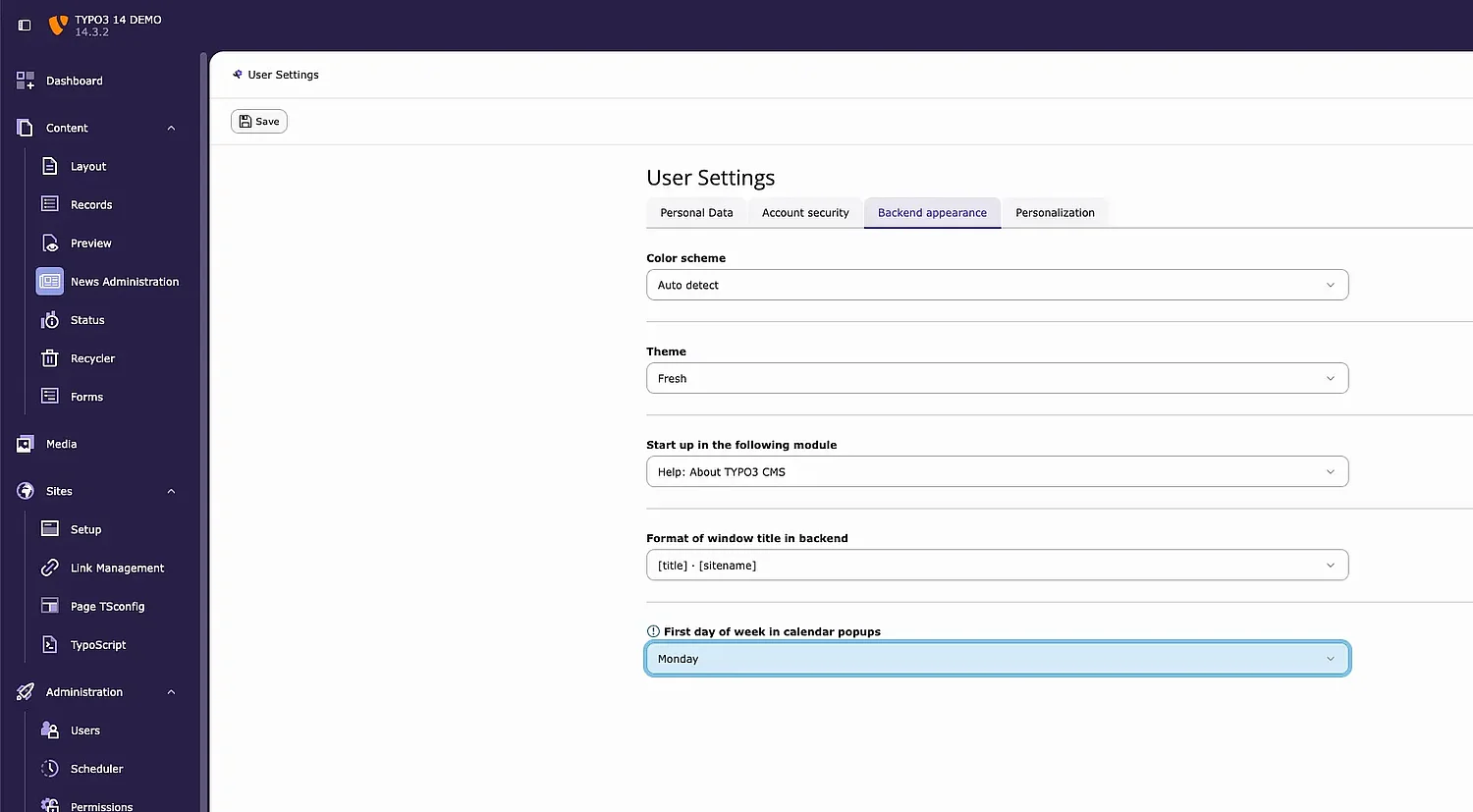
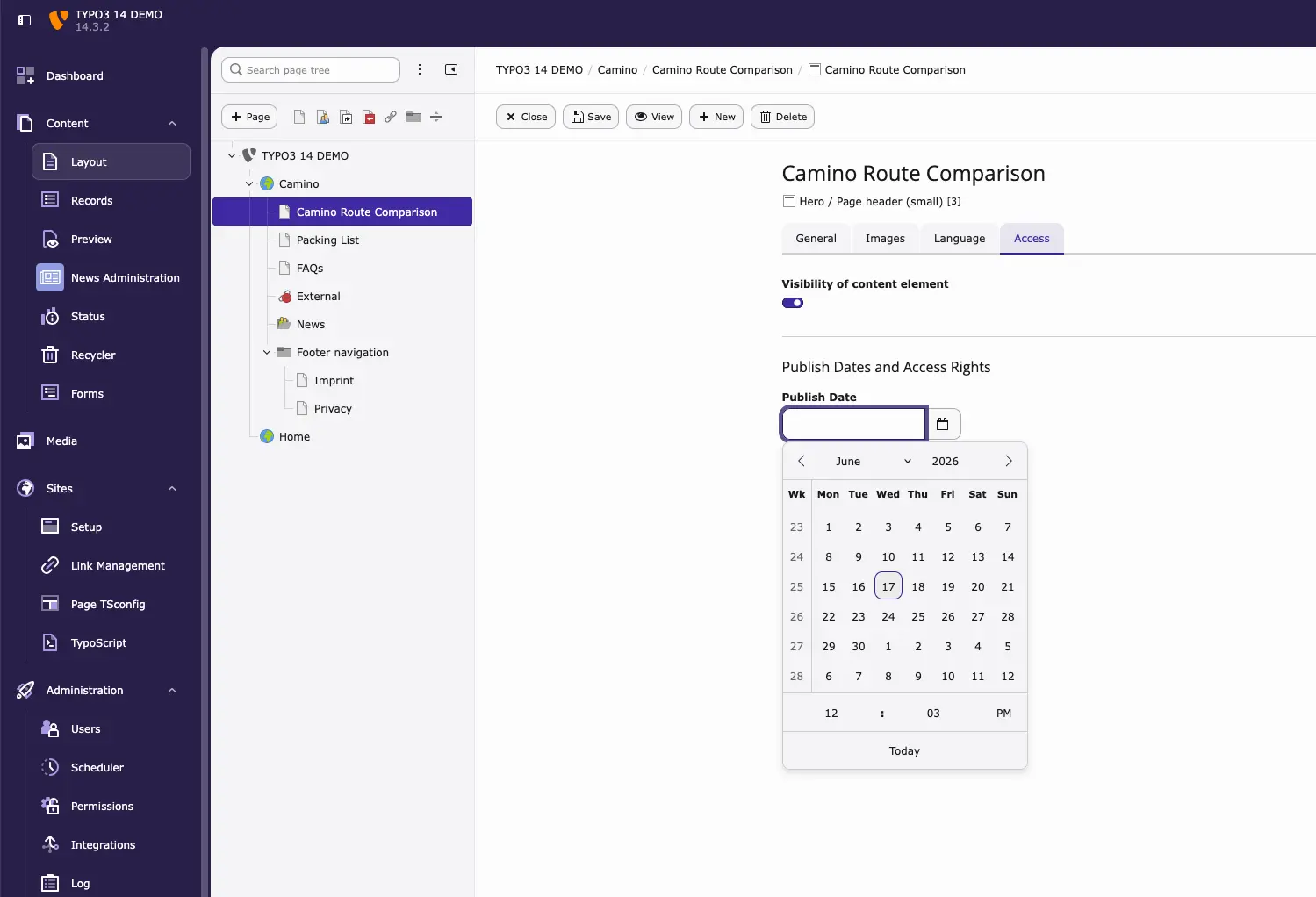
TYPO3 14 LTS allows editors to choose the start day of the week in the backend calendar independently of the interface language.

For example, you can keep the backend language set to English while starting the week on Monday. This is especially helpful for international teams with shared installations.

The option is available in User Settings → Backend appearance and defaults to the language standard unless changed.

Custom Labels and Visual Cues in the File Storage Tree

The file storage tree now supports custom labels and status indicators, similar to those used in the page tree.

These visual cues help highlight important folders or add context, making large media structures easier to navigate. Labels can be configured via user TSconfig, while additional status information can be added by integrators using a new backend event.

Only the highest-priority label or status is shown, keeping the interface clean and readable.

Unified File Creation in a Streamlined Modal Interface

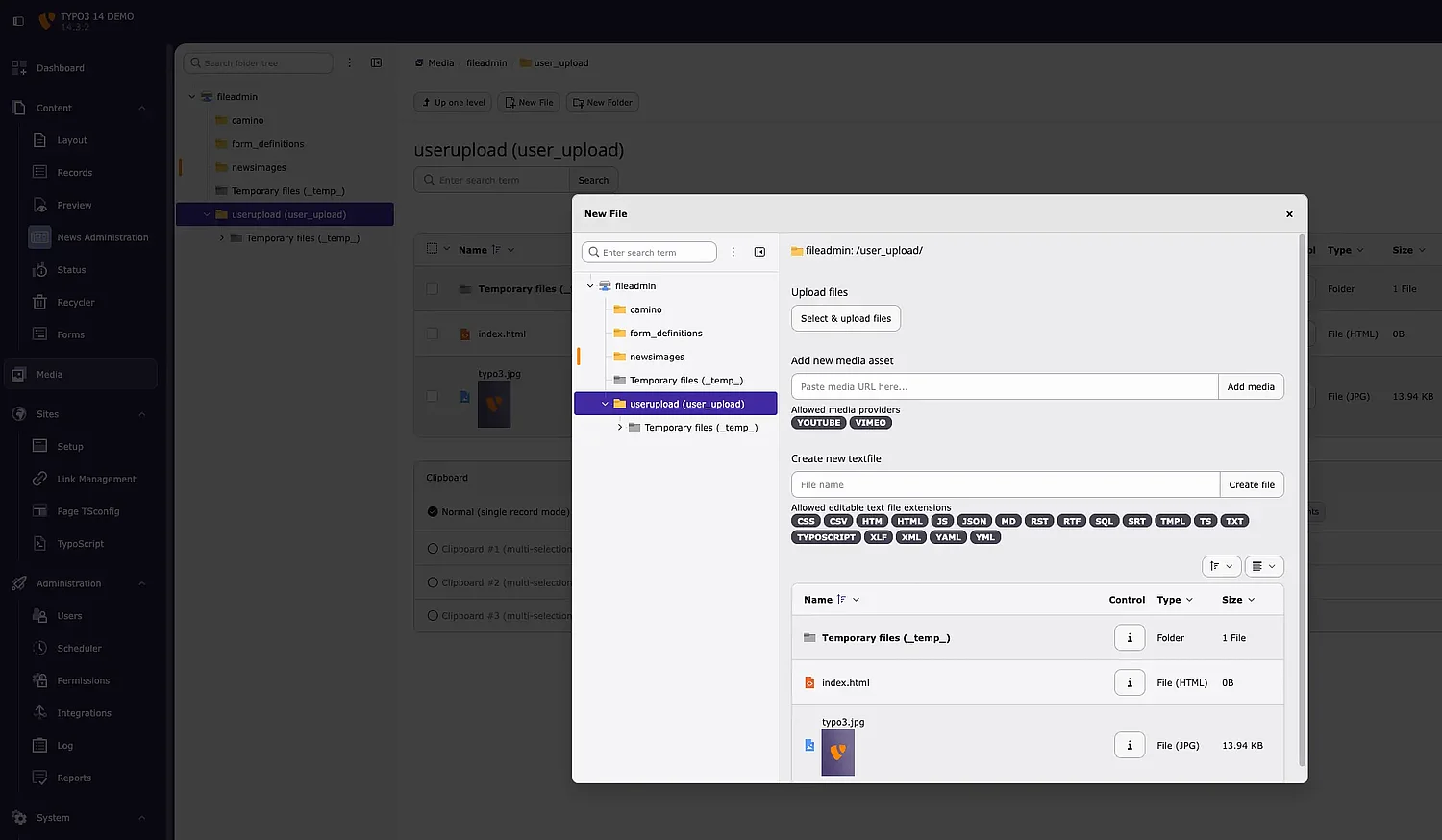
TYPO3 14 LTS introduces a unified modal for file creation and uploads within the Element Browser.

Editors can now upload files, add online media (such as YouTube or Vimeo), or create text files from a single interface — without leaving the current view. The file storage tree remains visible, and drag-and-drop uploads are fully supported.

Improved duplicate handling allows editors to replace, rename, skip, or keep files, making file management more consistent and predictable.

View Active Backend Users Instantly

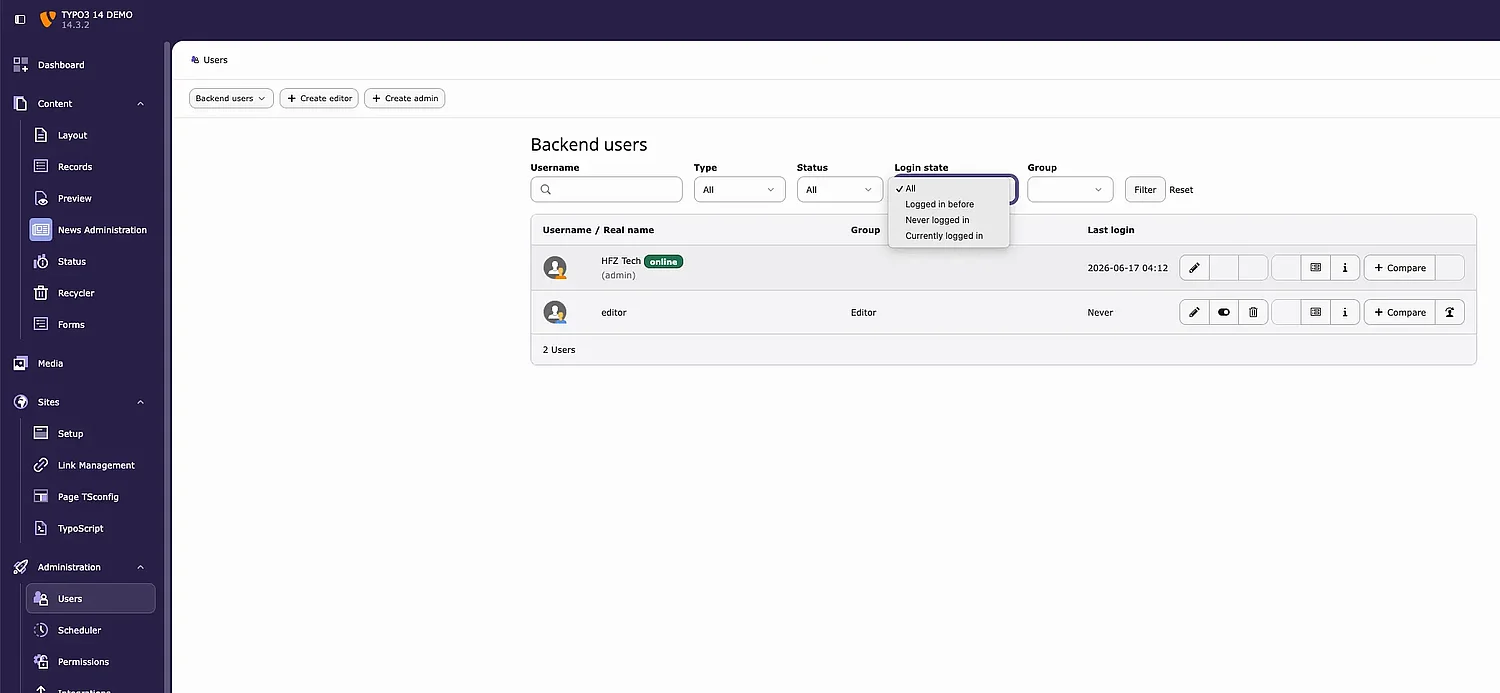
A new “Current logged-in” users filter is available in Administration → Users.

Administrators can quickly see which backend users are currently active without leaving the backend. TYPO3 determines activity based on last login and session timeout settings.

This provides better visibility into backend usage with minimal effort.

Language Selection in Page Tree Overview

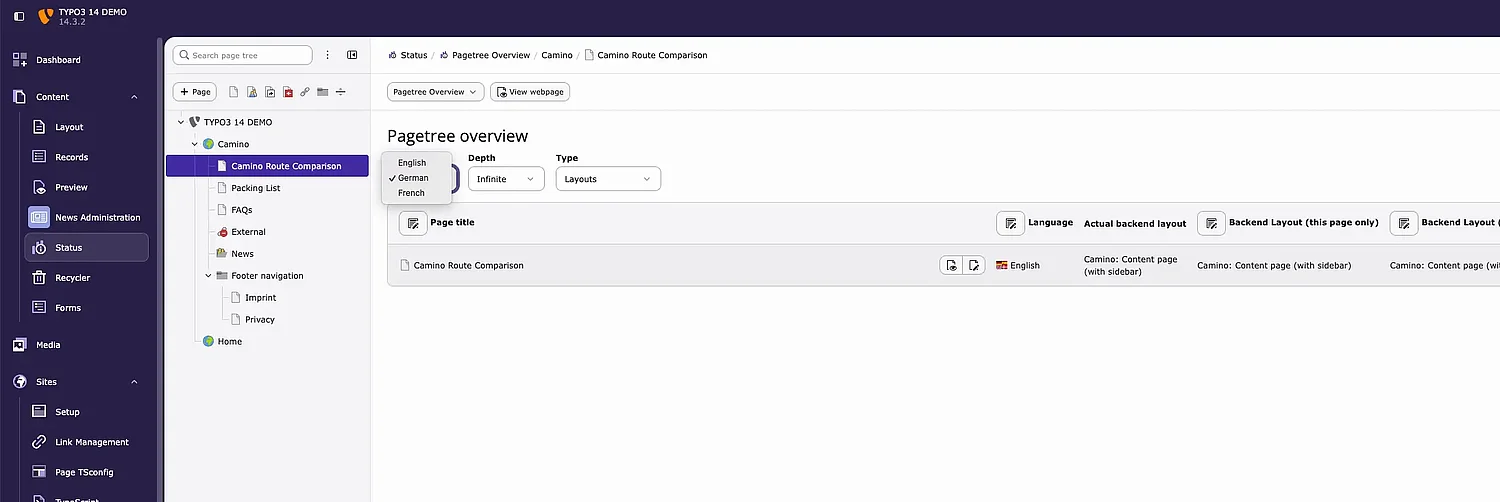
The Status → Pagetree Overview module now includes a language selection dropdown.

Editors can switch the view to a specific language, and all labels, links, and page information update accordingly. This makes it easier to review page status and translations on multilingual sites.

The filter works alongside existing options such as recursion depth and complements the Localization Overview with a more page-focused view.

New Scheduler Task Wizard for Easier Setup

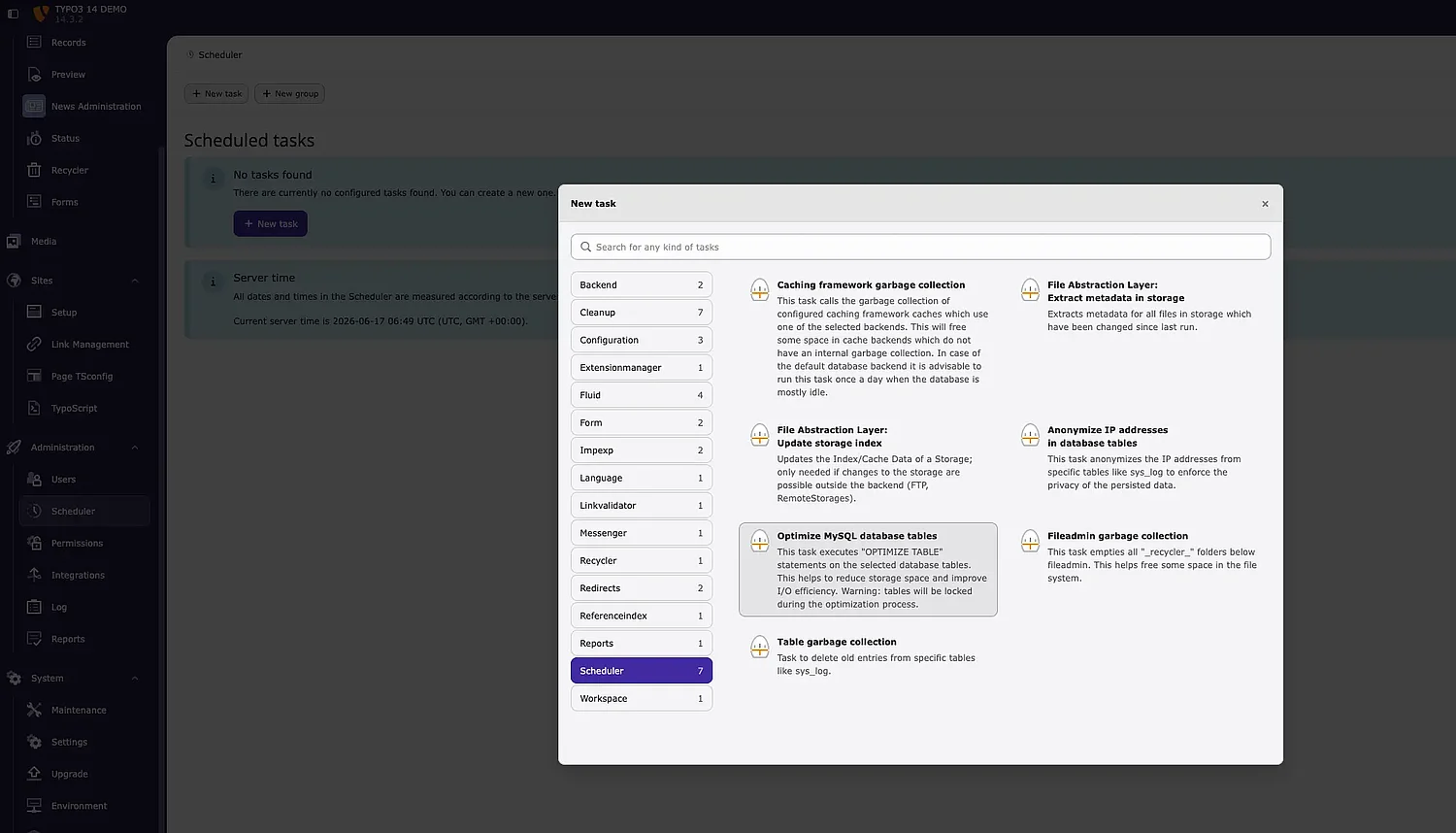
TYPO3 14 LTS introduces a new wizard for creating scheduled tasks in Administration → Scheduler.

Instead of a long dropdown list, tasks are displayed in a clean, categorised layout with icons, descriptions, and a search function. This makes it easier to find the right task and reduces setup errors.

The wizard aligns with other TYPO3 interfaces, such as content element creation, and is especially helpful in larger installations or projects with custom extensions.

Improved Visual Organisation for Scheduler Task Groups

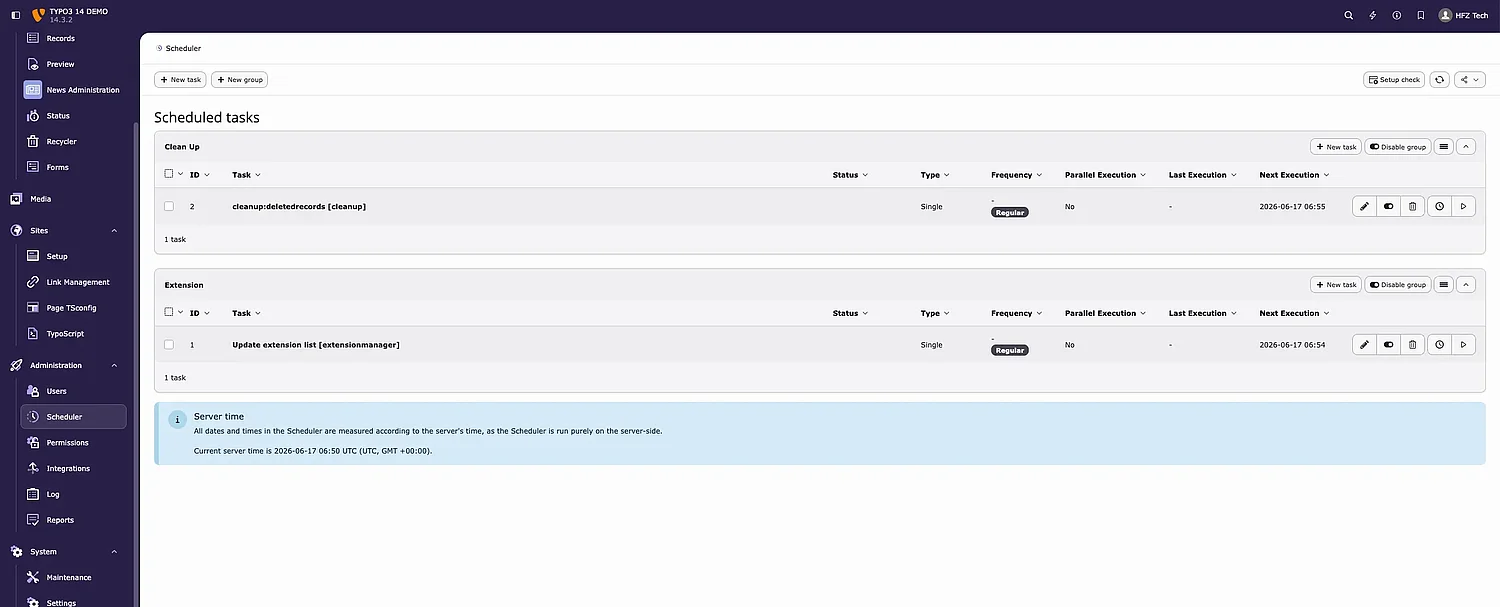
The Scheduler module now offers better visual organisation for task groups.

Groups can be assigned custom colours, shown as a left border, making it easier to distinguish tasks at a glance. Group names are bold and editable directly via a clickable link, with descriptions displayed underneath.

These changes help administrators organise tasks by category or priority, particularly in complex setups. Existing groups continue to work as before if no colour is assigned.

TYPO3 14 LTS continues to refine everyday editorial and administrative tasks without changing familiar workflows. Improvements such as dashboard widgets, QR code management, clearer file handling, and a more usable scheduler make daily work feel calmer and more predictable.

From our work at HFZ Tech with editorial teams and agencies upgrading to TYPO3 14 LTS, we see that these refinements quickly improve confidence and efficiency — particularly on multilingual sites, larger installations, and projects with recurring processes.

Together with the navigation and UI improvements covered in Part 1, these changes reinforce TYPO3 14 LTS as a reliable and editor-friendly platform for long-term content work.